Your Phone Number No Longer Has to Be Tied to a SIM Card
For decades, getting a new phone number usually meant getting another SIM card, signing up with a mobile carrier, or even carrying a second phone.
Virtual phone numbers have changed that.
A personal virtual number gives you an additional phone number that can be managed digitally rather than being permanently tied to one physical SIM card. Depending on the provider and number type, you may be able to use it to make and receive calls through a browser, computer, smartphone, or other internet-connected device.
This can be particularly useful if you want a separate number for work, international communication, travel, online activities, or simply to avoid giving everyone your primary mobile number.
So how do you actually get one?
This guide explains what personal virtual numbers are, how they work, how to purchase one online, and what you should check before choosing a number.
What Is a Personal Virtual Phone Number?
A personal virtual phone number is a telephone number whose calling service is managed digitally instead of being dependent on a traditional physical phone line.
The number itself can look completely normal.
For example:
+1 202 XXX XXXX
To someone calling the number, there may be little visible difference between it and another telephone number. Behind the scenes, however, the call can be handled through cloud telephony or Voice over Internet Protocol (VoIP) infrastructure.
That means the service can potentially route calls to an application, web browser, computer, smartphone, or another configured destination.
The exact capabilities depend on the provider. Some virtual numbers support incoming calls only, while others support outgoing calls, SMS, voicemail, call forwarding, or combinations of these features.
How Does a Virtual Number Work?
Think of a traditional mobile number as being closely associated with a SIM and mobile network.
A virtual number separates the phone number from that physical SIM relationship.
When someone calls your virtual number, the call is routed through the provider's telecommunications infrastructure. Depending on how the service is configured, the call can then reach you through the internet or be forwarded to another telephone endpoint.
For internet-based calling, the simplified journey can look like this:
Caller → Virtual Number → Telephony/Cloud Network → Internet → Your Device
For an outgoing call, the process essentially works in the opposite direction:
Your Device → Internet → Calling Provider → Telephone Network → Recipient

This is one reason virtual numbers can be flexible: the number does not necessarily have to live on a second physical phone.
How to Get a Personal Virtual Number Online
Getting a virtual number is generally much easier than obtaining another traditional mobile line. The precise screens and requirements vary between providers, but the overall process usually follows a few basic steps.
1. Choose a Virtual Number Provider
Start with a reputable provider that offers virtual numbers for the country or region you need.
Don't choose solely on the advertised price.
Check what the number actually supports. Depending on the service, that can include:
- Incoming calls
- Outgoing calls
- SMS
- Caller ID
- Voicemail
- Call forwarding
- Browser-based calling
- International calling
A cheap number isn't useful if it doesn't support the feature you actually need.
2. Create Your Account
Next, create an account with the provider.
You will typically need an email address and basic account information. Depending on the country, number type, provider, and local telecommunications requirements, additional identity or address verification may also be necessary.
This isn't unusual. Telephone-number regulations differ significantly between countries.
3. Select the Country
You'll then choose the country where you want your virtual number.
For example, a provider might make numbers available from the United States, United Kingdom, Canada, or other supported markets.
Country availability should never be assumed. Providers have different inventories, and regulatory requirements can affect whether a particular number can be issued to you.
4. Choose an Available Number
If the service allows number selection, you'll see available numbers for your chosen country or region.
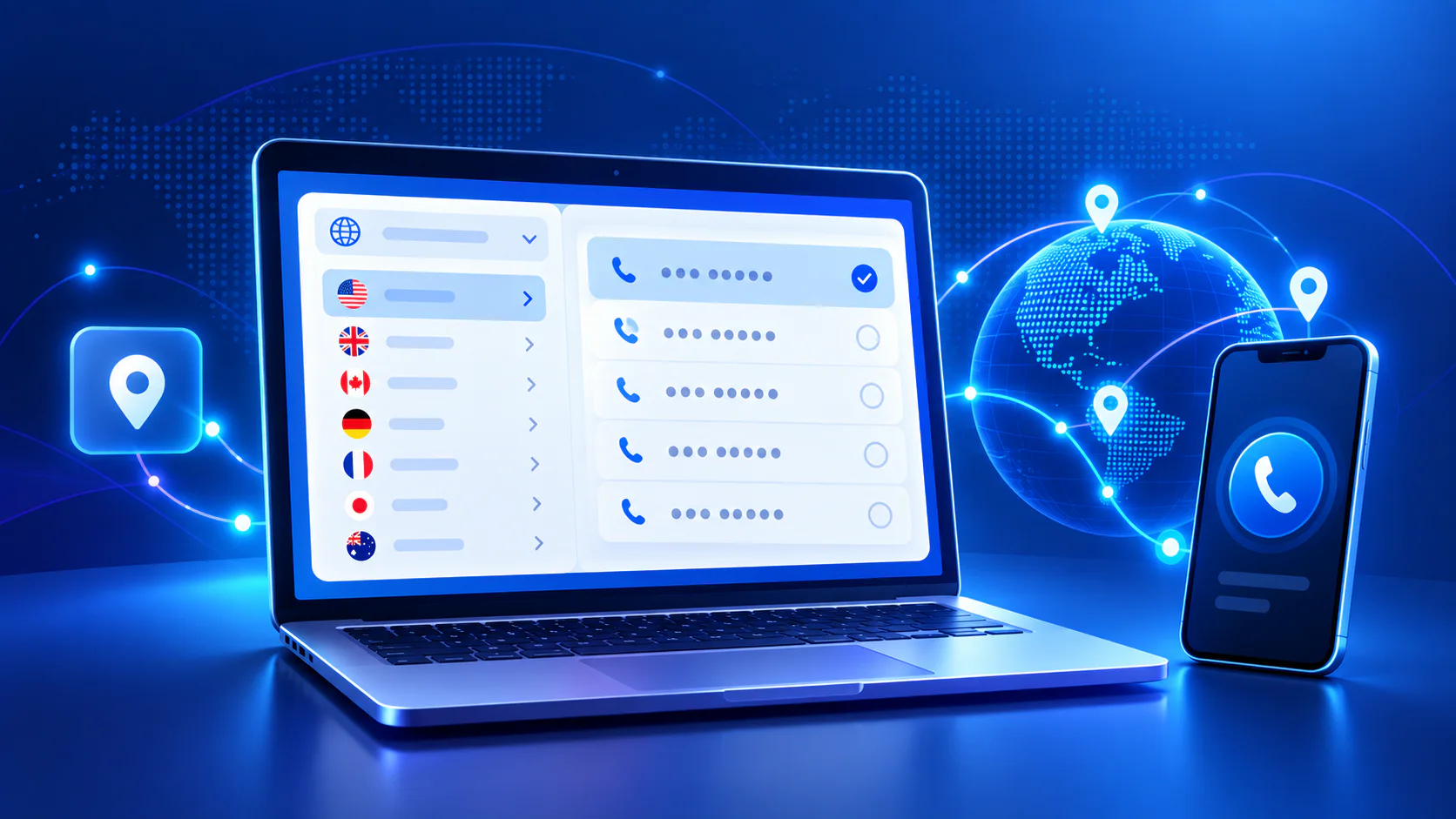
Some services let you select a specific area code or choose from several available numbers.
Before purchasing, check whether you're getting a local, mobile, national, or toll-free number, because these number types can have different capabilities and restrictions.
5. Review the Number's Features and Price
This is an important step.
A virtual number can have several different costs associated with it:
Number rental: The recurring amount required to keep the number active.
Calling charges: The amount charged for incoming or outgoing calls, if they aren't included in your plan.
SMS charges: Applicable if the number supports text messaging.
Setup or verification costs: Some providers or number types may have additional requirements.
Also check the renewal period and what happens if the number expires.
6. Complete the Purchase
Once you're satisfied with the number, features, and pricing, complete the checkout process.
Depending on the service, activation may happen almost immediately or may require verification first.
Once activated, the virtual number is associated with your account rather than requiring you to insert another physical SIM card.
7. Configure Your Number
After purchasing the number, you may need to decide what should happen when someone calls it.
Depending on the provider, you could configure calls to reach:
Your browser — answer calls through a web calling interface.
A mobile or desktop app — calls appear inside the provider's application.
Another phone number — incoming calls are forwarded to an existing line.
Some platforms also let you configure voicemail, business hours, call routing, or other settings.
8. Make a Test Call
Before publishing or sharing your new number, test it.
Call the virtual number from another phone and confirm that incoming calls behave as expected.
If outgoing calling is supported, test that as well.
Also check the displayed caller ID, audio quality, call history, and any voicemail or forwarding settings you've enabled.
Your personal virtual number is now ready to use.
Do You Need a SIM Card for a Virtual Number?
Often, no additional SIM card is required for an internet-based virtual-number service.
That's one of the biggest differences between virtual and traditional mobile numbers.
Instead of placing another SIM inside your phone, you access the number through your provider's software or configured calling destination.
You may therefore be able to manage the number from a laptop, desktop computer, tablet, or smartphone.
However, having a virtual number doesn't automatically mean every service works entirely without cellular infrastructure. How calls are delivered depends on the provider's implementation.
Why Would You Want a Personal Virtual Number?
There isn't one single reason.
Keep Personal and Other Calls Separate
You might not want to give your primary mobile number to every client, customer, marketplace contact, or new professional connection.
A second number gives you another communication identity without necessarily requiring another phone.
Work and Freelancing
Freelancers, consultants, remote workers, and small-business owners can use a separate number for professional communication while keeping their personal number private.
International Presence
Some providers offer numbers from multiple countries.
For someone communicating regularly with people in another market, having an appropriate virtual number can make communication more convenient.
Availability and eligibility vary by country, however, so a virtual number shouldn't be treated as a way to bypass local telecommunications requirements.
Travel
Because many virtual-number services operate through internet-connected devices, they can be useful when traveling.
Your ability to use the number will still depend on the service, local restrictions, and your internet connection.
Privacy
A secondary number can reduce how often you need to disclose your primary personal number.
That doesn't make virtual numbers anonymous. Reputable providers may maintain account information and may be required to verify customers or comply with lawful requests.
It's better to think of a virtual number as separation between communication channels, rather than anonymity.

Virtual Number vs. Traditional SIM Number
The biggest difference is where the number's service lives.
| Feature | Virtual Number | Traditional SIM Number |
|---|---|---|
| Extra physical SIM required | Usually no | Usually yes |
| Can work through internet | Yes, depending on service | Carrier dependent |
| Browser access | Possible | Usually not directly |
| Multiple-device flexibility | Often available | More device/SIM dependent |
| Country availability | Provider dependent | Carrier dependent |
| Calls | Depends on number/provider | Yes |
| SMS | Depends on number/provider | Usually yes |
| Verification requirements | Country/provider dependent | Carrier/regulation dependent |
Neither option is automatically better.
A traditional mobile number makes sense when you need conventional cellular service tied directly to your device. A virtual number can make more sense when flexibility, an additional number, or internet-based communication is the priority.
Can You Make Calls From a Browser With a Virtual Number?
Yes, if your provider supports browser-based calling.
Instead of installing traditional phone hardware, you sign into the web calling platform, allow microphone access, enter a destination number, and place the call from your browser.
Modern web communication technologies can capture your microphone audio and transmit it over the internet to the provider's calling infrastructure.
From there, the call can be connected to the appropriate telephone network.
This also means a laptop can effectively become your calling device.
If you're interested in what happens technically between clicking Call and the other person's phone ringing, see How Browser Calling Works: A Guide to Web-Based Phone Calls.
What Should You Check Before Buying a Virtual Number?
Don't assume that every virtual number has the same capabilities.
Before paying, verify country and area-code availability, incoming and outgoing calling support, SMS capabilities, recurring number fees, per-minute rates, renewal rules, caller-ID behavior, supported devices, verification requirements, and cancellation policies.
Also determine whether the number is appropriate for your intended use.
For example, don't purchase a number assuming it will receive verification codes from every website. Some online platforms restrict VoIP or virtual numbers for account verification, and compatibility can change.
Likewise, a number capable of receiving calls isn't necessarily capable of sending SMS.
Check the actual capabilities first.
Are Personal Virtual Numbers Safe?
Virtual numbers can be a legitimate and useful communications tool, but security still depends on both the provider and how you protect your account.
Use a strong, unique password and enable multi-factor authentication when the provider offers it. Be cautious about who has access to your calling account because control of the account can potentially mean control of the number.
You should also review the provider's privacy practices and understand how calls, messages, logs, recordings, and account information are handled.
For sensitive or regulated communication, check whether the service meets the legal and compliance requirements relevant to your situation.
How Much Does a Virtual Phone Number Cost?
There isn't a universal price.
Your total cost can depend on the country, number type, rental period, incoming-call charges, outgoing-call destination, SMS usage, included minutes, and additional features.
For that reason, compare the total cost of actually using the number, rather than just its advertised monthly rental price.
A number that costs very little to rent but has expensive calling rates may ultimately cost more than a slightly higher-priced alternative.
Can You Keep a Virtual Number Permanently?
That depends on the provider and the agreement under which the number is assigned.
Many virtual numbers operate on recurring rental or subscription periods. If you stop paying or allow the number to expire, you may eventually lose access to it and the provider may later return it to its available inventory.
If a number becomes important to your work or personal communications, review renewal and number-porting policies carefully.
Frequently Asked Questions
Is a virtual number a real phone number?
A virtual number can be a valid telephone number capable of routing calls through telecommunications networks. What makes it "virtual" is primarily how the service is managed and delivered rather than how the number appears.
Can I buy a virtual number online?
Yes. Many telecommunications and cloud-calling providers allow eligible users to obtain virtual numbers online. Availability and verification requirements vary by provider and jurisdiction.
Can I use a virtual number without a SIM?
Many virtual-number services don't require an additional physical SIM because calls are handled through an application, browser, internet connection, or forwarding system.
Can a virtual number receive calls?
It can if incoming voice calling is supported for that particular number and service.
Can I make outgoing calls with it?
Some services allow you to make outgoing calls while presenting the virtual number as your caller ID. Other numbers are designed only for incoming calls. Check before purchasing.
Can a virtual number receive SMS?
Some can, but not all virtual numbers support SMS. Even when SMS is supported, third-party services may choose not to send verification messages to virtual or VoIP numbers.
Can I use the same number on multiple devices?
Some cloud-based services support multiple devices because the number is connected to your account rather than one physical SIM. The exact behavior depends on the provider.
Do virtual numbers expire?
They can. Rental-based numbers generally need to be renewed. Providers may reclaim numbers after expiration according to their policies.
One Number, Without Another Phone
A personal virtual number changes a simple assumption we've had about telephone numbers for decades:
Having another phone number doesn't necessarily mean having another phone.
With the right service, you can obtain a number online, associate it with your account, and manage your communication digitally. In some systems, that means making and receiving calls directly through the same browser you already use every day.
For freelancers, remote workers, travelers, businesses, or anyone who simply wants to keep different parts of their communication separate, that flexibility can be extremely useful.
The important part is choosing the right type of number for what you actually need.
Check its calling and messaging capabilities, understand the ongoing costs, review the country's requirements, secure your account—and then your virtual number can become another communication line without another physical SIM sitting in your phone.